[ newsletter ]
Stay ahead of Web3 threats—subscribe to our newsletter for the latest in blockchain security insights and updates.
Thank you! Your submission has been received!
Oops! Something went wrong. Please try again.
Learn to detect and prevent QR code phishing crypto scams. Discover how quishing works and get tips to protect your digital assets from these evolving threats.


QR codes are everywhere these days, right? From restaurant menus to paying bills, they make things quick and easy. But just like anything convenient, scammers are finding ways to mess with them. In the crypto world, this is becoming a big problem. It's called 'quishing,' and it's basically phishing using QR codes, and it can really mess with your digital money. Let's talk about how it works and how you can avoid getting caught.
QR codes have become super common, right? You see them everywhere, from restaurant menus to payment apps. They're handy for quick access to websites or information. But this convenience has a dark side, especially in the world of cryptocurrency. Attackers are now using these codes for something called 'quishing,' which is basically phishing but with QR codes. It's a sneaky way to trick people into giving up their crypto or personal details.
This new method bypasses a lot of the usual security checks we rely on. Think about it: traditional email filters look for dodgy links. But a QR code? It's just an image. Scammers can hide malicious links inside these images, making them much harder to detect. It's like hiding a trap in plain sight.
Crypto is a big target because people are often looking for quick gains or easy ways to manage their digital assets. Scammers know this. They create fake QR codes that might promise free tokens, special mining rates, or even direct you to what looks like a legitimate crypto wallet app. But when you scan it, instead of getting something good, you might be led to a fake website designed to steal your login info or, worse, a counterfeit app that siphons off your funds the moment you install it.
Here’s a quick look at how they pull it off:
People tend to trust what they see, and QR codes, when presented in what looks like a legitimate context, can easily fool us. Scammers exploit this by embedding these codes in emails that mimic official communications from crypto exchanges or platforms. They might even go as far as to create fake invoices or support requests that include a QR code for 'payment' or 'verification.' The goal is to create a sense of urgency or legitimacy that makes you scan the code without thinking too much about it. Once scanned, the real trouble begins, often leading to irreversible loss of digital assets.
The convenience of QR codes is their biggest strength and, unfortunately, their biggest weakness when it comes to security. Attackers are simply adapting their old tricks to new tools, and the crypto space, with its high value and sometimes complex nature, is a prime target.
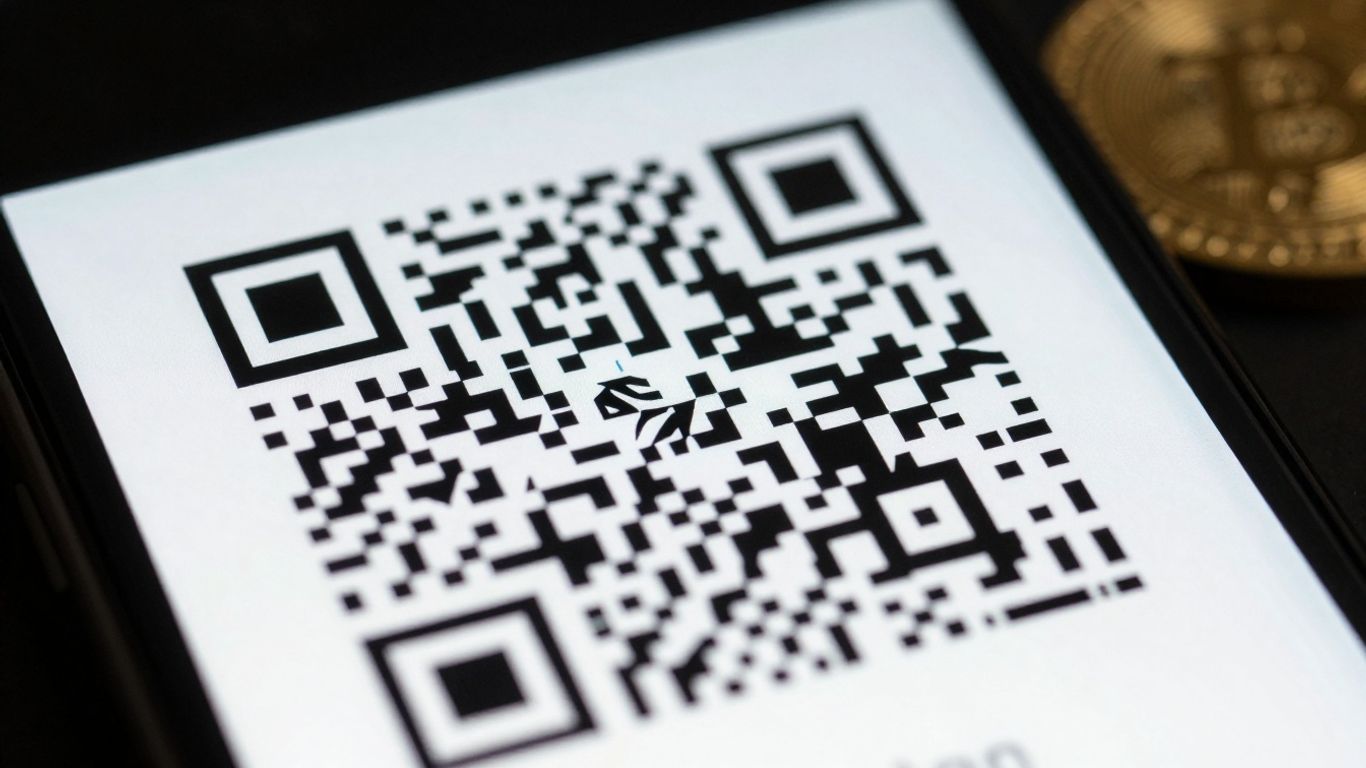
QR codes are sneaky because they often get past the usual digital gatekeepers. Think about it: most email filters are designed to spot suspicious links or keywords. A QR code, on the other hand, just looks like a picture. Attackers can hide these codes inside emails, sometimes even in image attachments like PDFs or JPEGs, with very little text. This makes it super easy for them to slip through spam filters that aren't smart enough to analyze the actual content of images. It’s like sending a secret message in plain sight.
Once a QR code is scanned, the real trouble often starts on your phone. Unlike computers that might have more robust security software, many smartphones don't have the same level of protection. This means that when a malicious QR code directs you to a fake website or prompts you to download something nasty, your phone might not have the defenses to stop it. The attack effectively moves from the relatively secure email environment to your personal device, where it's harder to detect and block.
Attackers don't always send you straight to their scam site. They often use a trick called redirection. A QR code might initially point to a website that looks legitimate, but then it quickly sends you somewhere else entirely. They also play with website names, creating fake sites that look almost identical to real ones – think 'amaz0n.com' instead of 'amazon.com'. This is called typo squatting. By the time you realize something's wrong, you might have already entered your login details or financial information on a fraudulent page. It’s a clever way to fool even people who think they’re being careful.
Spotting a QR code scam, or 'quishing', before you fall for it is all about paying attention to the little things. Attackers really count on us being in a hurry or just not looking too closely. They want you to scan without thinking, and that's usually when things go wrong. So, what should you be looking out for?
Sometimes, the QR code itself just looks a bit off. It might be slightly blurry, or maybe it's been stuck over an existing code on a poster or menu. If you see a QR code that seems out of place, like it's been added as an afterthought or looks like it's covering something up, that's a big warning sign. Also, check the context. Is the QR code on a legitimate-looking document or email, or is it in a random place where you wouldn't expect it?
Scammers love to create a sense of urgency. You might get an email or see a message saying you need to act now to avoid a penalty, claim a prize, or secure your account. Legitimate organizations rarely pressure you into immediate action, especially through a QR code. Always question the source. Did this message come from someone you know and trust? Does the email address look right, or is it a weird variation of a known company's address? If the source feels shaky, the QR code probably is too.
This is where things get a bit more sneaky. Attackers might put a sticker with a malicious QR code right over a legitimate one in a public place, like on a parking meter or a restaurant menu. So, if you're about to scan a code, give it a quick once-over. Does it look like the original code has been covered up? Also, think about whether you were expecting this QR code at all. If you didn't initiate a request or aren't in a situation where a QR code makes sense, it's best to be suspicious.
Here are some common places you might find tampered or unexpected codes:
When in doubt, it's always better to err on the side of caution. If a QR code seems suspicious, or if the request feels rushed or out of the blue, don't scan it. It's much safer to find the official website or contact the company through a known, trusted channel instead of risking your crypto.
Alright, so we've talked about how these QR code scams, or 'quishing,' can sneak past your usual defenses. It's a bit unnerving, right? But don't worry, there are definitely ways to keep your hard-earned crypto safe. It mostly comes down to being a little more careful and knowing what to look out for.
This is probably the most important step. Think of it like this: you wouldn't just hand over your private keys to a stranger on the street, would you? The same caution needs to apply to QR codes. If you see a QR code somewhere unexpected – maybe stuck on a public notice board, in a random email, or even on a product you just bought – take a moment. Always question where it came from. Was it placed there by someone you trust, or could it have been added by someone with bad intentions? If it's in an email, does the sender seem legit? Does the context make sense? For example, if you're expecting a crypto refund and suddenly get an email with a QR code to 'verify your account,' that's a huge red flag. Legitimate crypto platforms rarely, if ever, use QR codes for account verification in that way. It's better to go directly to their official website or app instead of scanning an unknown code.
Your phone's built-in camera app might be fine for scanning a menu, but when it comes to crypto, you might want something a bit more robust. There are apps out there specifically designed for scanning QR codes that offer extra security features. Many of these can preview the link or action the QR code is supposed to trigger before you actually execute it. This is super handy. You can see if it's trying to send you to a weird website address that looks similar to a real one but is slightly off (that's typo squatting, by the way). Some readers also have built-in blacklists of known malicious sites. So, instead of just blindly jumping to a new page, you get a warning. It’s like having a little security guard for your scans.
So, you've scanned a QR code, and it's taken you somewhere. Now what? This is where you need to be extra vigilant. If the QR code was supposed to lead you to a crypto exchange login, for instance, double-check the URL in your browser. Does it match the official site exactly? Look for the padlock icon in the address bar, which indicates a secure connection. More importantly, think about what information it's asking for. Is it asking for your private keys, your seed phrase, or your two-factor authentication codes? Never, ever provide this sensitive information. Legitimate crypto services will not ask for these details through a QR code scan or a linked website. If you're prompted for anything that feels too personal or too urgent, back out immediately. It's always better to be safe than sorry when your digital assets are on the line.
Look, nobody wants to spend all day staring at screens trying to spot a fake QR code. That's where artificial intelligence comes in. AI can sift through massive amounts of data way faster than any human. It's getting really good at spotting patterns that signal a scam, like weird links or unusual sender behavior that might be hiding a malicious QR code. Think of it as a super-smart digital detective that's always on the lookout for trouble. These systems can decode QR codes embedded in emails or websites and check the destination URL against known malicious sites in real-time. This is a big step up from older security tools that mostly just looked at text.
Beyond just looking for known bad stuff, behavioral detection tools watch how things are acting. If an email suddenly starts acting weird, like sending out a bunch of links or changing its usual communication style, these tools can flag it. For QR codes, this might mean noticing if a code suddenly appears in a context where it normally wouldn't, or if scanning it triggers unexpected background activity on your device. It’s about catching things that are out of the ordinary, even if the specific QR code itself hasn't been seen before.
Even with all the fancy tech, people are still the first line of defense. Making sure everyone knows what to look out for is super important. This means regular training sessions that aren't boring. We're talking about real-world examples of how these scams work, like fake invoices or urgent messages that try to rush you into scanning a code.
Here’s a quick rundown of what to teach:
Ultimately, attackers want you to scan without thinking. They rely on urgency and surprise. By training people to recognize these tactics and encouraging a moment of pause, we can significantly reduce the success rate of these attacks. It’s about building a habit of caution.
It’s a layered approach, really. You’ve got the tech doing its thing in the background, and you’ve got people who are trained to be the final checkpoint. Together, they make a pretty strong defense against these sneaky QR code scams.
Scammers aren't just sticking to basic phishing emails anymore. They're getting way more creative, and QR codes are a big part of that. Think about it: you see a QR code, maybe on a poster or even in an email, and it looks legit. But instead of taking you to a safe website, it zaps you straight to a fake crypto exchange or a wallet drainer. It's like a shortcut to losing your money. These aren't just random attacks; they're becoming part of bigger, more complex schemes. We're seeing QR codes used in tandem with other tricks, like fake urgent notifications or even deepfake videos, to really push people over the edge into making a mistake. It's a constant game of cat and mouse, with criminals always looking for the next angle.
One of the scariest things happening is how scammers are impersonating well-known crypto brands or even government agencies. They'll create a QR code that looks like it's from your favorite exchange or a trusted wallet provider. Maybe it's a "security update" or a "special offer." When you scan it, you're taken to a site that looks identical to the real one, and they try to get your login details or private keys. It’s a real problem because these fake sites are getting harder to spot. They even use similar domain names, sometimes just a letter off, hoping you won't notice. This kind of trickery really plays on our trust in established names, and it’s why verifying everything is so important.
Beyond just tricking your eyes with fake logos, these scams are getting really good at playing with your emotions. They create a sense of urgency, making you feel like you have to scan the code and act right now. Maybe it's a fake alert about suspicious activity on your account, or a limited-time offer that sounds too good to be true. Fear and greed are powerful motivators, and scammers know it. They'll use language designed to make you panic or get excited, pushing you to bypass your usual security checks. This emotional pressure is often the final push needed to get victims to compromise their digital assets. It’s a reminder that even when technology gets more advanced, human psychology remains a key target for attackers. Understanding these tactics is half the battle in staying safe in the crypto space.
So, we've talked about how QR codes can be used for phishing, especially in the crypto world. It's pretty wild how scammers are using something so common to try and trick people. They're getting pretty sneaky, hiding these codes in emails, images, and even covering up real ones. The crypto angle just adds another layer because people are eager to make quick gains. The main takeaway here is to just be aware. Don't just scan any QR code you see, especially if it's unexpected or promises something too good to be true. Always double-check where it's sending you, and if you're dealing with crypto, be extra careful about linking wallets or sharing private keys. Staying vigilant is really your best defense against these evolving scams.
Imagine a regular phishing scam, but instead of clicking a tricky link, you scan a QR code. That's quishing! Scammers hide bad links or instructions inside QR codes. When you scan them, they might send you to a fake website to steal your info or trick your phone into downloading something harmful. It's like a sneaky shortcut for hackers.
Scammers know people want to make quick crypto deals. They might send emails with QR codes that look like they're from a crypto exchange or a special offer. Scanning the code could lead you to a fake app that steals your wallet details or a site that asks you to connect your wallet, giving them access to your crypto.
Always be suspicious if a QR code appears somewhere unexpected, like in a random email or on a sticker placed over another code. If the offer seems too good to be true, like 'double your Bitcoin,' it's probably a scam. Also, watch out for messages that rush you or try to scare you into scanning.
Yes! Always check where the QR code comes from. If you get one in an email, try to confirm with the sender through another way. Use a QR code scanner app that shows you the website address *before* it opens it. If the address looks weird or doesn't match where you expect to go, don't proceed. Never enter sensitive info right after scanning.
Most email security systems are built to spot bad website links. But a QR code is just an image, so these systems often don't check what's inside it. This means scam QR codes can get past the usual defenses and land right in your inbox, making them sneakier than old-school phishing links.
If you scanned a code and it took you to a strange website or asked for your login details, don't enter anything! Immediately close the page. If you did enter login info, change your password right away and enable two-factor authentication if possible. If you connected your crypto wallet, monitor it closely and consider moving your funds to a new, secure wallet if you suspect a compromise.